The Programming button location is based on the type of controller ordered.
Handheld Remotes:
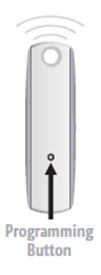
On most handheld controllers, the program button is in the small hole on the back of the remote:
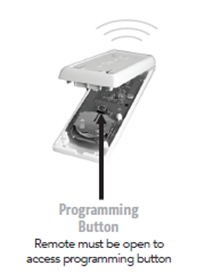
Or, in some cases, the programming button is inside the remote. You will have to open the remote to access the programming button.
Wall Switches and Tabletop remotes:
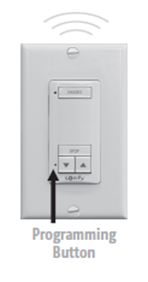
On either the wall switch controller or on the tabletop remote, the programming button is located next to the down arrow, in the small pinhole.
For additional support:
- Email: motorization.support@springswindowfashions.com, responses could take up to 24 hours
- Customer Service Team: 1-800-221-6352
Was this article helpful?
That’s Great!
Thank you for your feedback
Sorry! We couldn't be helpful
Thank you for your feedback
Feedback sent
We appreciate your effort and will try to fix the article